
USB Flash Drives
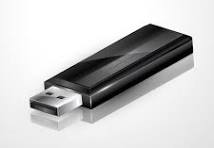
USB Flash Drives are available in various sizes, including but not limited to 4 , 8 , 16 , 32, 64, 128, and 256 Gigabites (Gigs). But for some reason, they are all formatted In FAT32, which has a 4 file limitation. This means that your new flash drive won’t let you put any file larger than 4 gigs on it-you get a “file to big” notification. To remove the 4 gig file limitation, new flash drives must for formatted in EXFAT. To do this on a PC, find the drive in your computer file index and right click on it. You’ll see a drop down menu. Left click on “Format”. In the “File System” drop down, Select “EXFAT”, and below the Select “Default Allocation”. Select “Start” at the bottom. The flash drive is now formatted in EXFAT, and will accept the maximum file size for the flash drive. If this too complicated for you, bring us the flash drive, and AVP Media will re-format it for you at no cost.
Gravity and VHS Tape Storage

Gravity can actually stretch VHS tapes that are stored flat. The top or bottom surface of the tape becomes stretched, and then the tapes don’t track well on playback. So it’s best to store VHS tapes on edge. Or better yet, get them to AVP Media to digitize before They are too late to save.
Duplicate Storage for Digital Media Archival
The best way to make sure your videotapes, movie films, audio cassettes and other media are around in the future, is to have them digitized, and stored in a way that the media will be safe, and retrievable. It’s best to store your digitized media in multiple physical locations, so a fire, or other disaster doesn’t destroy your archives. At AVP Media, we transfer your digitized materials to a USB flash drive, or hard drive of the appropriate size to fit your digitized media. We can provide as many flash or hard drives as you require so you have duplicate storage. If you would like to put your archives in “cloud storage”, you are welcomed to do so on the “Cloud” of your choice. We do not provide that service, or recommend it as your sole source of archival, or any other single archival device for that matter-make duplicates!
Video Time Base Correctors – Why We Use Them to Digitize Your VHS Tapes
A Time Base Corrector (TBC) stabilizes unstable analog video signals, especially from sources like VHS tapes, by buffering each frame, correcting timing errors (jitter, sync issues), and outputting a stable, evenly spaced signal, making it crucial for digitization, editing, and mixing with other video equipment. It acts as a real-time buffer, fixing mechanical instability and restoring proper frame timing for a clean, consistent picture, preventing dropped frames or scrolling. AVP Media uses Time Base Correctors in our digitization process to ensure the best quality possible from your VHS tapes.